Skip to content
Keepware Subscribe
ClipBridge icon

ClipBridge

Copy on your Mac, paste on your Android tablet or phone — end-to-end encrypted.

macOS · Windows · Android · v0.3.2 · Beta · Free

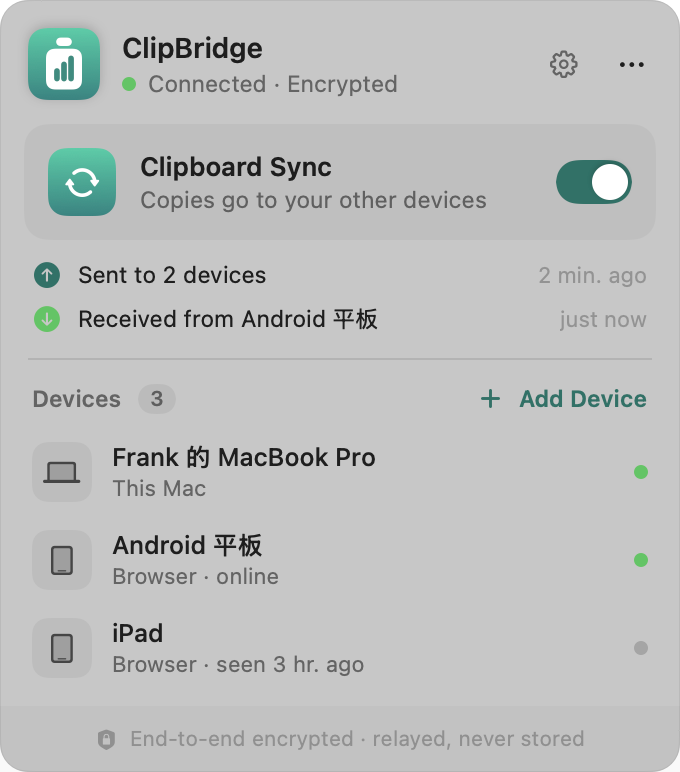
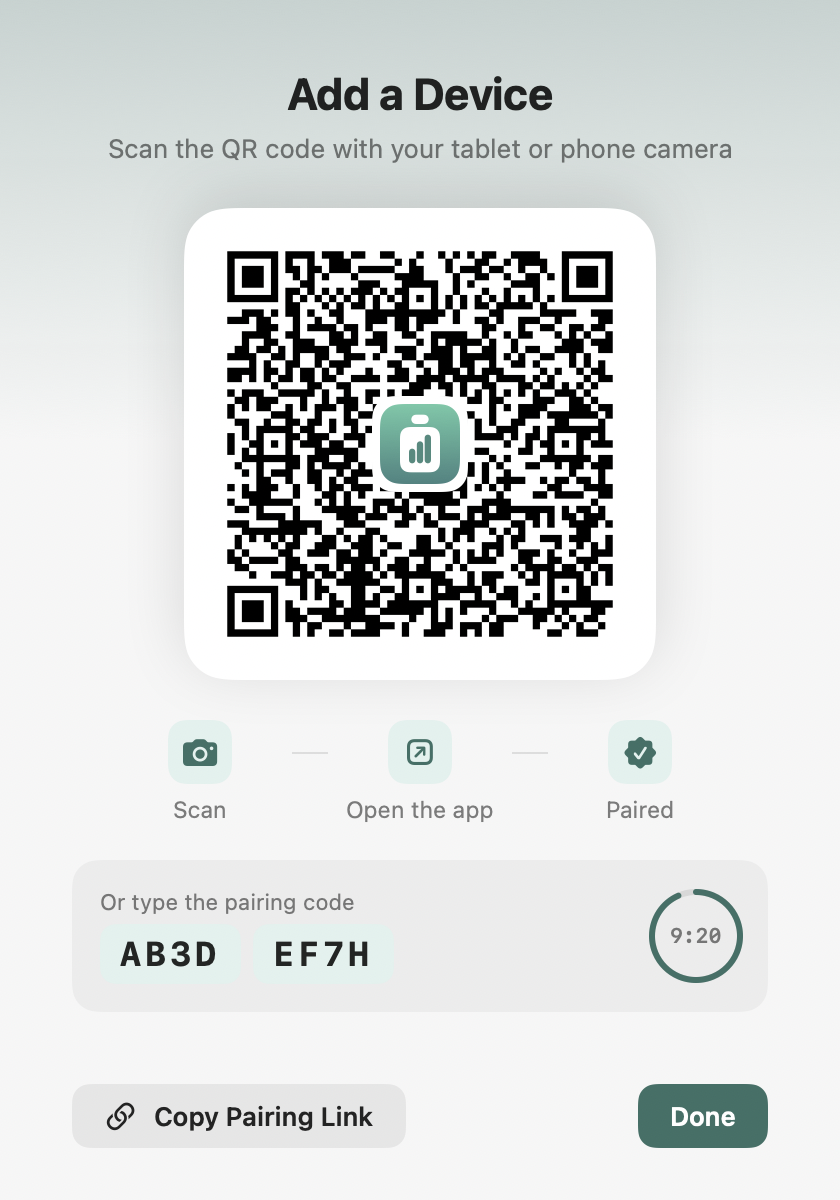
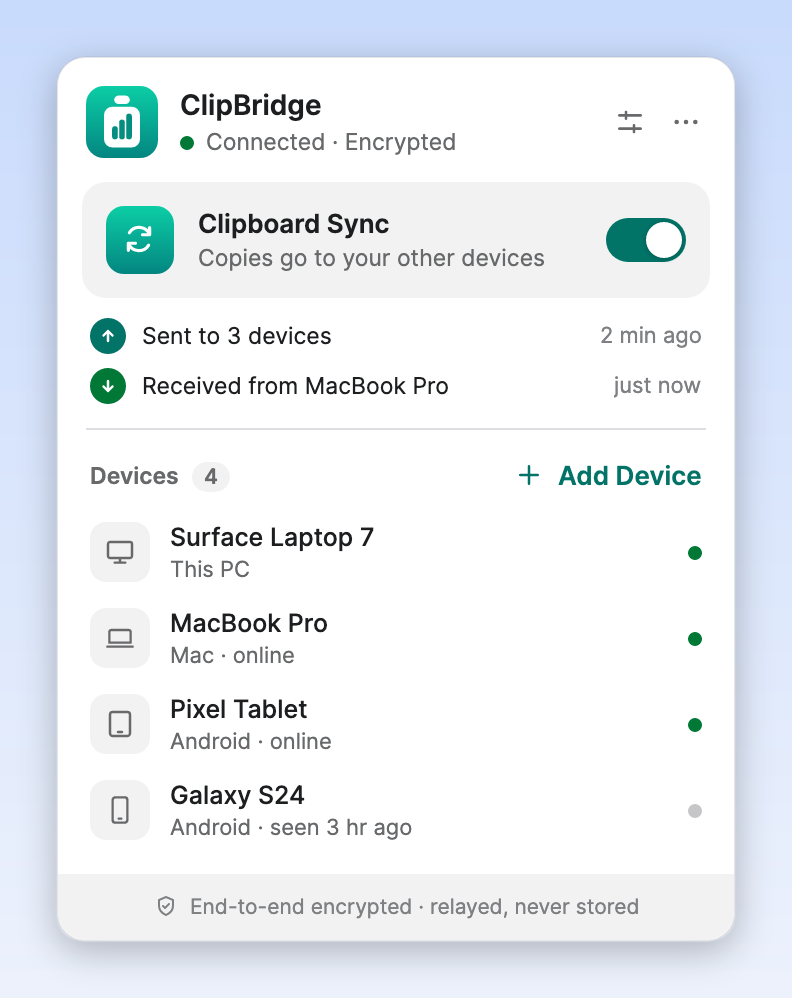
ClipBridge menu bar panel on macOS showing connection status, the sync switch, recent activity and the device listAdd Device window on macOS with a QR code, pairing code and countdown

ClipBridge links your Mac, Windows PC and Android devices into one shared clipboard. Copy text on the Mac and a moment later it is on your tablet's clipboard, ready to paste. Sending the other way takes a single tap. There is no account to create: devices join each other with a QR code.

Copy here, paste there.

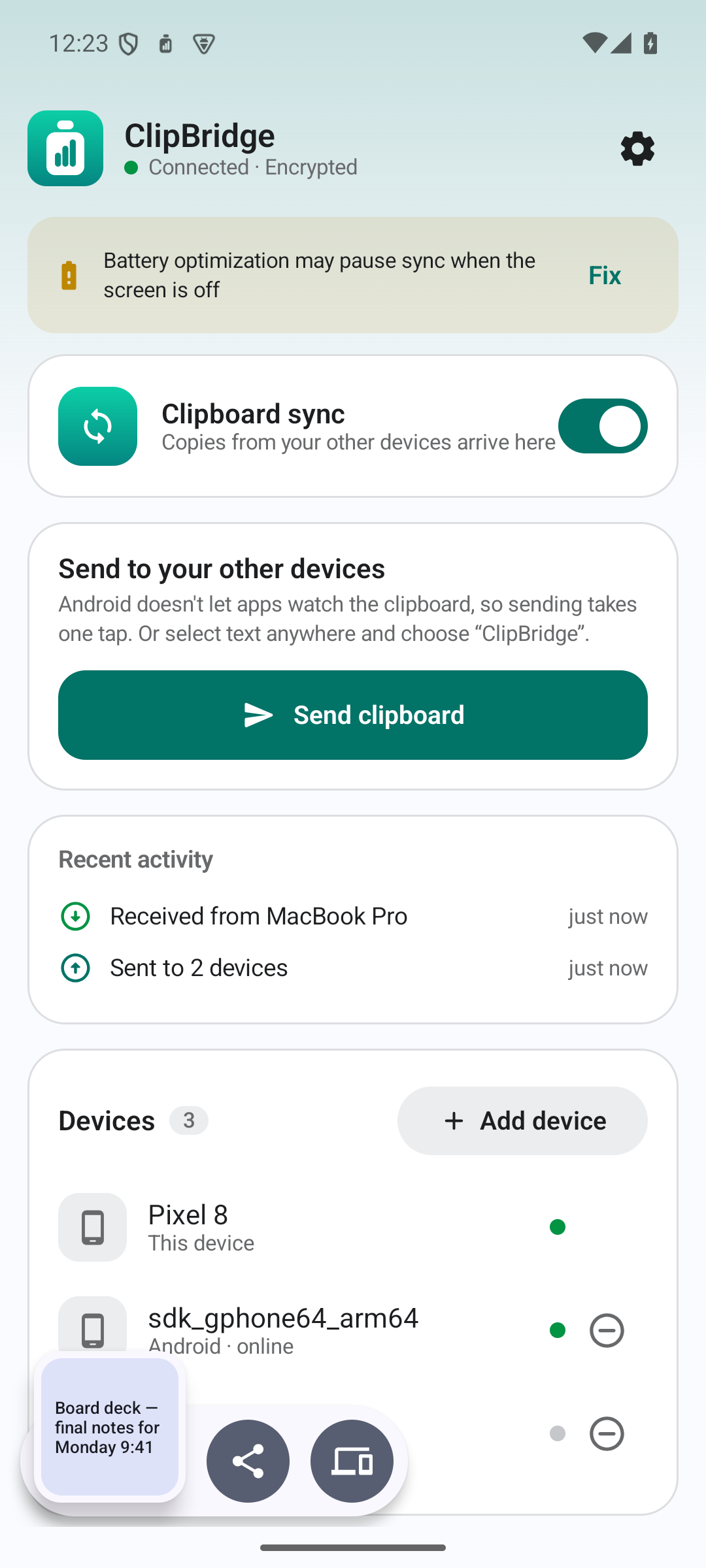
Mac → Android is automatic. The Android app keeps a quiet connection in the background and puts what you copied straight onto the clipboard.

One tap back.

Android doesn't let apps watch the clipboard, so sending is explicit — and quick: select text in any app and pick ClipBridge from the menu, use the share sheet, or the Send clipboard Quick Settings tile.

Pair with a QR code.

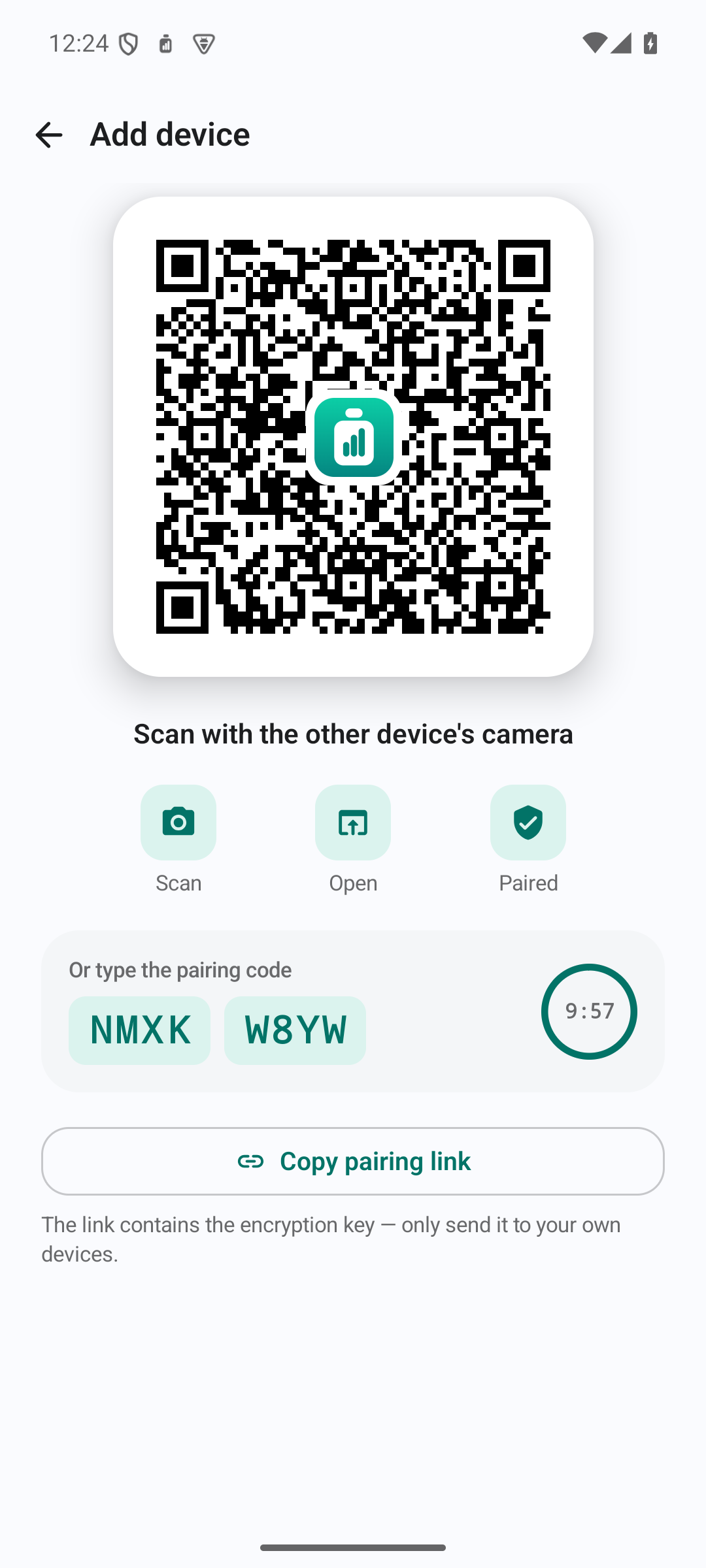
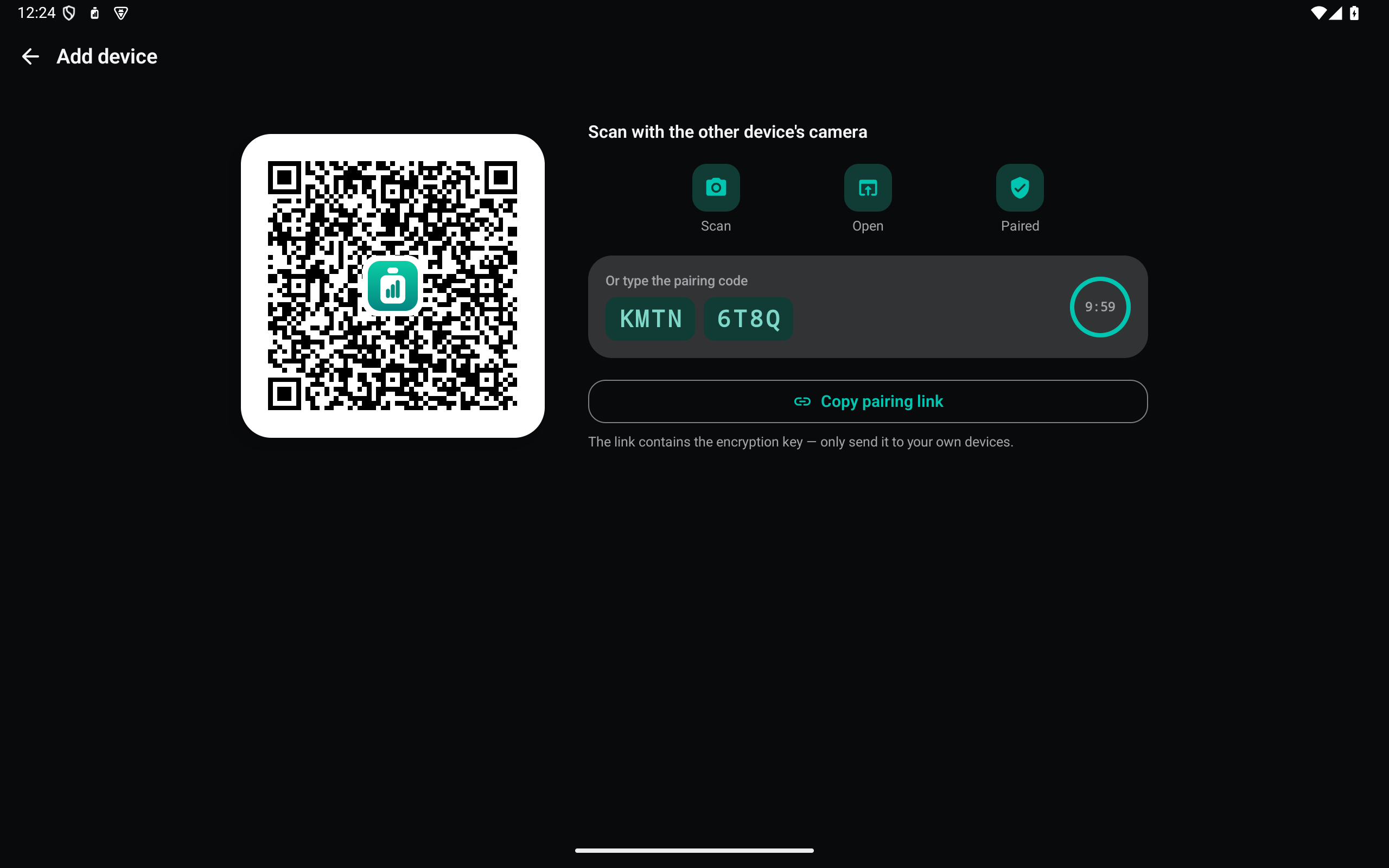
On the Mac choose Add Device and scan the code with your tablet's camera. The app opens and joins, and the encryption key comes along — nothing to type.

End-to-end encrypted.

AES-256-GCM with a key derived from your passphrase (PBKDF2-SHA256, 600,000 rounds). The relay only ever sees ciphertext.

Relayed, never stored.

The relay keeps a copy only until every device has confirmed it — at most 10 minutes for a device that is offline — and a newer copy replaces it. No history.

One Android app for phones and tablets.

A two-pane layout on tablets, one column on phones. It works without Google Play services.

One Mac app for every Mac.

A universal build that runs natively on Apple silicon and Intel.

A Windows tray app.

The same status panel, pairing and encryption on Windows 10 and 11 — x64 and ARM64, one small .exe each, nothing to install.

Light, dark or automatic.

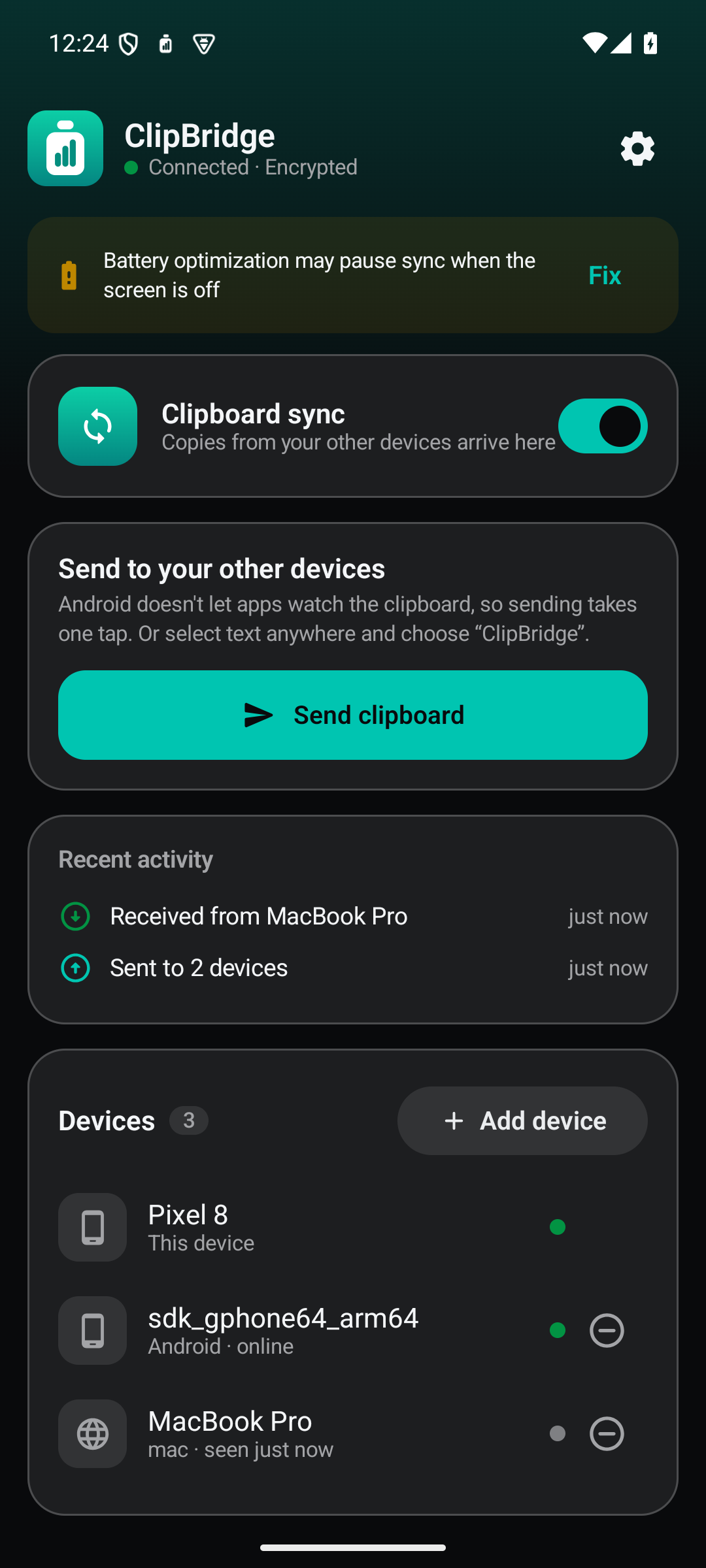
Pick an appearance in Settings, or let it follow the system.

A native Mac menu bar app.

A status panel, a small "Synced" bubble after each copy, launch at login. It skips clipboard content that password managers mark as concealed.

Your devices, under your control.

See which devices are online and remove a lost one instantly — its access is revoked on the spot.

A closer look.

Getting started

  1. Mac: open the DMG and drag ClipBridge to Applications — the same app runs on Apple silicon and Intel Macs. The Mac build isn't notarized yet, so the first time macOS blocks it: open System Settings → Privacy & Security and click Open Anyway (on macOS 13–14, right-click the app and choose Open). Setup creates your device group and an encryption passphrase.
  2. Android: download the APK on your tablet or phone — one app for both — and allow your browser to install apps. Open ClipBridge, choose Join an existing group and scan the QR code the Mac shows under Add Device.
  3. Windows: run the .exe for your PC (x64, or ARM64 for Snapdragon devices) — it lives in the tray. Windows warns the first time because the app isn't signed yet: More info → Run anyway. Create a group or join one with the same QR code.
  4. Copy something on the Mac — it's on the tablet. To send text back, select it and tap ClipBridge.

Privacy

Your clipboard is encrypted on your device before it leaves, and decrypted only on your other devices. The relay (Cloudflare Workers) sees device names, timestamps, the size of each encrypted item and which devices are online — never the content. Your passphrase never leaves your devices; QR pairing passes the key in the part of the link after #, which browsers never send to a server. There is no account, no email and no analytics.

Beta. Text only for now. The Mac app isn't notarized and the Windows app isn't code-signed yet. On some Android skins (Xiaomi, Huawei, OPPO …) allow ClipBridge to auto-start and run in the background, or it stops receiving when the screen is off.

Get ClipBridge.

macOS app (.dmg) — Apple silicon & Intel v0.3.2 · 1.6 MB · one universal app · macOS 13+ Download for Mac
Android app (.apk) — phones & tablets v0.3.2 · 1.6 MB · one app for phones and tablets · Android 8.0+ Download for Android
Windows app (.exe) — x64 v0.3.2 · 21 MB · tray app, runs standalone · Windows 10/11 x64 Download for Windows
Windows app (.exe) — ARM64 v0.3.2 · 21 MB · tray app, runs standalone · Windows 10/11 on ARM Download for Windows (ARM)

Release notes

RSS ›
  1. v0.3.2

    The new Keepware look

    Every screen restyled on the Keepware design system — calmer neutrals with a single teal accent, the same design language across the Mac panel, onboarding and pairing windows, and the Android app.

    New app icons on Mac and Android, drawn on the Keepware icon grid — sharper at every size.

    No behavior changes. Pairing, sync and end-to-end encryption work exactly as before; this is a fresh coat of paint only.

    Downloads: https://www.keepware.dev/clipbridge

  2. v0.3.1

    Every Mac, and your choice of theme

    • Universal Mac app — one download runs natively on Apple silicon and Intel Macs, now as a drag-to-Applications DMG.
    • Appearance setting on Mac and Android: System, Light or Dark.
    • Device list shows the right icon for Android phones and tablets (and Windows PCs, coming soon).
    • Add Device: the steps now read Scan → Open the app → Paired. Scanning a pairing code without the app installed opens a download page for your device instead of a web client.
  3. v0.3.0

    First public beta

    • Mac menu bar app with a first-run setup: create a device group or join one, choose an encryption passphrase, add your tablet or phone with a QR code.
    • Android app for phones and tablets — receives in the background and writes straight to the clipboard; send with ClipBridge in the text-selection menu, the share sheet or the Quick Settings tile. Scanning a Mac’s QR code with the system camera opens the app and pairs it.
    • End-to-end encrypted (AES-256-GCM, PBKDF2-SHA256). The relay forwards ciphertext and forgets each copy once every device has it (10 minutes at most).
    • Device management: see who’s online, rename this device, remove a lost one instantly.
    • English and Chinese, light and dark.

Hear when ClipBridge ships.

One short email per release. Nothing else.